



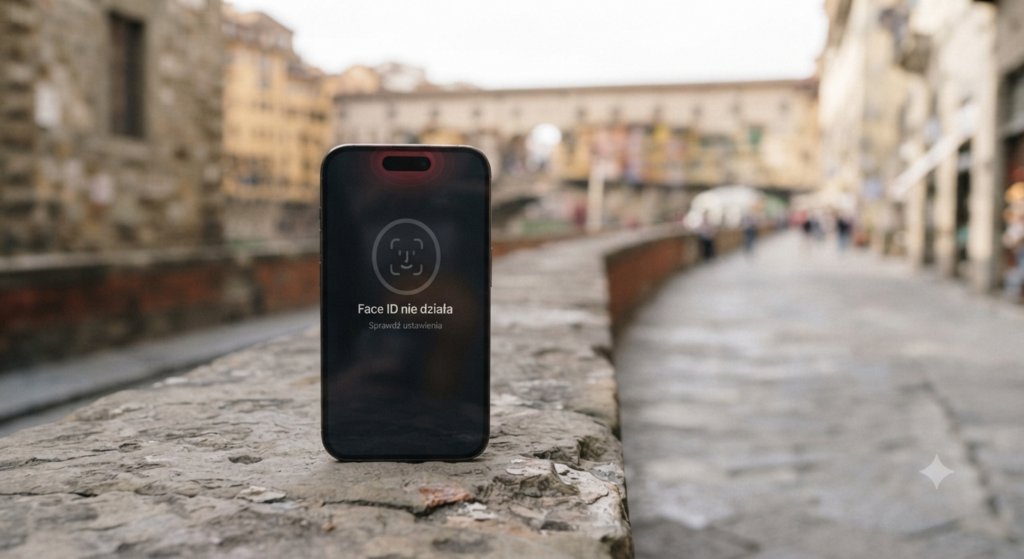
Face ID is one of the most convenient iPhone features. It allows you to quickly unlock your phone, authorize Apple Pay payments, and log in to apps. However, when it stops working, using the device becomes less comfortable. The problem can stem from both software bugs and hardware damage.
In this article, we explain why Face ID is not working, what you can check yourself, and when a visit to a service center will be necessary.
Why does Face ID stop working?
The most common causes are:
- iPhone drop,
- flooding or contact with moisture,
- damage to the front camera or TrueDepth sensors,
- improper screen replacement,
- bugs after iOS system update,
- motherboard damage.
In many cases, the message „"Face ID is unavailable"” indicates a hardware problem.
How to check why Face ID is not working?
Before you take your phone in for service, follow a few simple steps.
1. Restart your iPhone
This is the simplest solution, which sometimes eliminates temporary system errors.
2. Check your Face ID settings
Go to:
Settings → Face ID & Passcode
Make sure Face ID is turned on for:
- unlocking an iPhone,
- Apple Pay,
- App Store,
- applications.
3. Clean the front of the phone
Dust, greasy smudges, or a cracked lens can interfere with the operation of the TrueDepth camera.
Gently clean the screen with a soft microfiber cloth.
4. Remove and set up Face ID again
If the system allows:
- delete the saved style,
- Set up Face ID again.
If an error occurs during setup, the problem is most often hardware-related.
5. Update iOS
The new version of the system may fix bugs that affect Face ID functionality.
Error messages indicating damage
The most common ones include:
- „Face ID is unavailable.”
- „"Face ID cannot be enabled."”
- Unable to start configuration.
- The TrueDepth camera isn't working.
These symptoms usually require professional diagnostics.
Could Face ID stop working after the display is replaced?
Yes. But not at the iPro service center in Warsaw!
Face ID is linked to the original TrueDepth sensor module. Improper replacement of the display or damage to the sensor cable may cause permanent malfunction.
That is why repairs should only be performed at a service center with experience in repairing Apple devices.
Can water damage Face ID?
Unfortunately, yes.
Moisture very often causes:
- corrosion of TrueDepth components,
- dot projector damage,
- infrared camera failure,
- motherboard damage.
Even if the phone works properly after drying, Face ID may stop working after a few days or weeks.
Can you fix Face ID yourself?
No.
The Face ID system consists of many precisely paired components. Replacing individual parts without specialized equipment will usually not restore its operation.
Disassembling the phone yourself can further worsen the condition of the device.
When should I go to the service center?
It's worth visiting the website if:
- Face ID stopped working after it fell,
- The phone was water damaged,
- a Face ID unavailable message appears,
- the feature cannot be configured again,
- The front camera is not working properly.
A professional diagnostic test can determine whether the Face ID module can be repaired or whether the problem lies with the motherboard.
What does a Face ID repair involve?
The scope of the repair depends on the cause of the problem. Most often, it includes:
- device diagnostics,
- Testing the TrueDepth module,
- repair of damaged belts,
- motherboard repair after water damage,
- restoration of the original components' functionality, if possible.
In many cases, it is possible to restore Face ID to full functionality without having to replace the entire phone.
How can you prevent Face ID from malfunctioning?
To reduce the risk of damage:
- Use a shock-absorbing case,
- Protect your phone from moisture.,
- Do not use untested websites,
- Don't put off repairs after water damage or a hard impact.
Summary
A Face ID malfunction doesn't always mean you need to replace your iPhone. Sometimes all it takes is a reset or a system update; however, after a drop or water damage, the problem is usually hardware-related. Quick diagnostics increase the chances of a successful repair and help prevent more serious damage.
If Face ID on your iPhone has stopped working, contact iPro Service in Warsaw. Our technicians will perform a thorough diagnosis and recommend the best solution to restore the device to full functionality.