



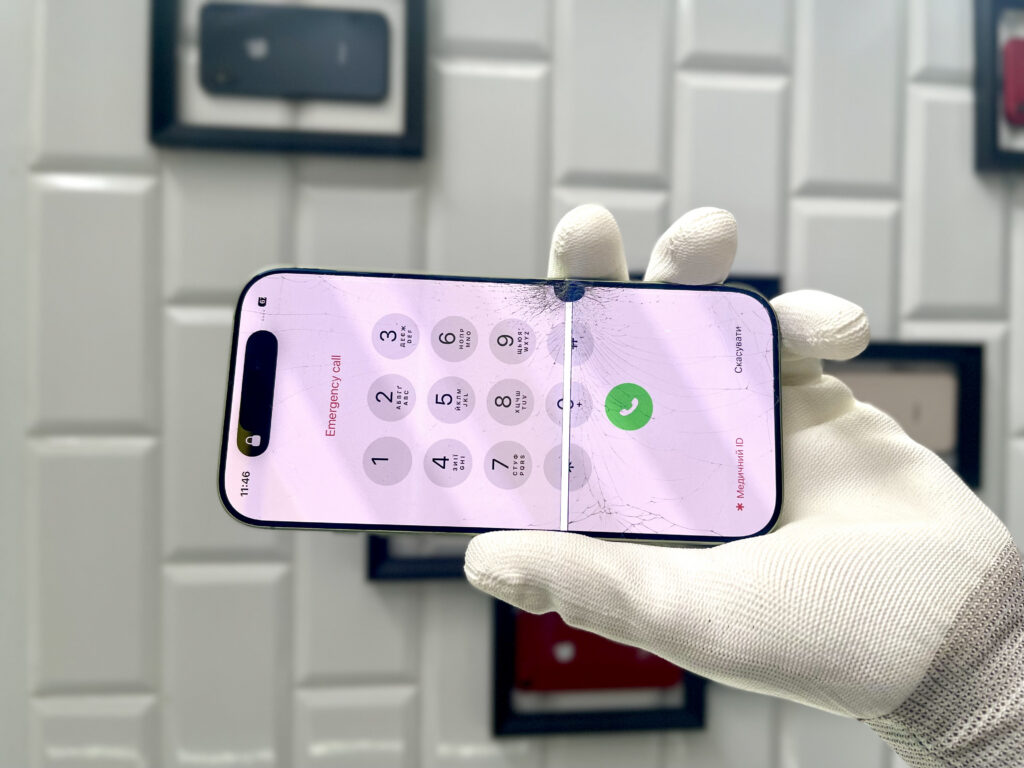
Cracked iPhone screen? Find out what to do after display damage, whether you can still use your phone, how much repairs cost, and when it's worth visiting a professional service center.
What to do when an iPhone screen cracks?
A cracked iPhone screen is one of the most common faults in Apple smartphones. Even a minor drop can lead to damage to the glass or the entire display. Many users then wonder if they can still use the phone, if immediate repair is necessary, and how much an iPhone screen replacement costs.
In this guide, we explain what to do after damaging your screen and how to avoid making the damage worse.
How to check if only the screen is damaged?
After dropping your phone, it's important to thoroughly assess the extent of the damage.
Check whether:
- the screen displays an image without discoloration,
- touch works across the entire surface,
- black spots or colored stripes have appeared,
- Face ID is functioning correctly.,
- The phone starts up without any problems.,
- The casing was not bent.
Even if the device is working correctly, a cracked screen should not be overlooked.
Can you use an iPhone with a cracked screen?
Technically it is possible, but it is not recommended.
A damaged iPhone screen can lead to further problems:
- moisture ingress into the device,
- matrix damage,
- touch panel failure,
- hand cuts from broken glass,
- display malfunction.
Over time, even a small crack can lead to a much more expensive repair.
What to do immediately after your iPhone screen cracks
1. Back up
If the screen still responds to touch, back up your data.
You can use:
- iCloud,
- Finder,
- iTunes.
This will protect your photos, contacts, and documents.
3. Don't postpone repairs
The sooner the phone gets to the repair shop, the greater the chance of limiting repair costs.
Symptoms indicating display damage
Not every crack means the glass itself is damaged.
The most common symptoms of display failure include:
- flashing screen,
- black spots,
- green or purple stripes,
- No picture,
- non-working touch,
- Ghost touch,
- Screen flickering.
In such cases, professional diagnostics are necessary.
Is it enough to just replace the glass?
That depends on the type of damage.
The same wheel can be replaced when:
- The image is correct.,
- The touch is working correctly.,
- The matrix was not damaged.
The entire display needs to be replaced when:
- spots appear,
- The screen is not responding.,
- there are stripes,
- The display is black.,
- The OLED matrix has been damaged.
A professional service always performs a thorough device diagnosis before repair.
How much does an iPhone screen replacement cost?
The repair cost depends on several factors:
- phone model,
- display type,
- applied parts.
The best solution is an early free quote on the website.
Why you shouldn't fix your iPhone yourself
Self-replacement of an iPhone screen can lead to more serious damage.
During repair, it is very easy to damage:
- display ribbon cable,
- Face ID module,
- light sensors,
- microphone,
- motherboard.
Modern Apple models require specialized tools and service experience.
How to protect your iPhone screen after a repair?
After replacing the display, it's worth applying additional protection.
They work best:
- tempered glass,
- case with raised edge,
- shock-absorbing case,
- Regular replacement of worn-out protective accessories.
Such solutions significantly reduce the risk of damaging the phone again.
Why choose a professional iPhone repair service?
Screen repair requires adequate technical support.
Good service offers:
- free diagnostics,
- quick repair,
- high-quality parts,
- warranty on the service,
- maintaining full device functionality.
This ensures that the phone will work as it did before the damage.
Frequently Asked Questions
Can you use an iPhone with a cracked screen?
Yes, but it is not recommended. A cracked screen can lead to display damage, moisture getting inside the phone, and deterioration of touch functionality.
Is it possible to replace only the glass?
Yes, but only if the OLED matrix and the touchscreen panel are not damaged.
How long does an iPhone screen replacement take?
In most cases, a professional screen replacement takes between 30 minutes and a few hours, depending on the phone model and part availability.
Does the screen work like the original after replacement?
Yes, provided high-quality parts are used.
Is it worth repairing an older iPhone?
In most cases, yes. The cost of repair is usually much lower than buying a new phone.
A cracked iPhone screen doesn't always mean the entire device needs to be replaced. However, acting quickly is key. The sooner the phone reaches a professional service center, the greater the chance of limiting repair costs and maintaining the device's full functionality.
If you notice cracks, touch issues, or display malfunctions, don't delay diagnostics. Professional repair will restore your iPhone's full functionality and prevent more serious damage.